First, we talk.
Tell me what you’d like help with. Before any appointment, we agree on which devices and accounts, the price, and what’s off limits. You’re welcome to have someone you trust join you.
I’m Ryan Murray, and Twin Shepherd AI is my business.
I come to your home and help with your phone, your computer and the security of your accounts. I’ll also show you how to spot the newer scams that use AI to fake voices, videos and messages. I set this up with people 65 and older in mind, so there’s time for your questions.

The home visit
$500 Proposed price. We’ll agree on exactly what’s covered before scheduling.
I work with the devices you already have, in person and at your pace. We’ll go over how your accounts are protected and practice checking suspicious messages and urgent requests.
Before booking, I’ll confirm how far I travel, when the follow-up happens and the cancellation terms. No setup can promise you’ll never run into a scam or an account problem.
First we check whether your provider supports a security key and decide how you’d get back in if you lost it. You type your own passwords, sign in with the key yourself to show it works, and keep the keys and your recovery information. Before we call it done, we make sure your backup way in still works. If anything is delayed or can’t be finished, I write it down as unfinished. I won’t remove a recovery method you already have unless we’ve agreed on a replacement. The keys themselves aren’t included in the visit price.
Ask questions, have me go over a step again, and keep written notes to look back on. The price and what’s covered are settled before the appointment, not during it.
Email me about a home visit →Good security help should leave you more confident, not relying on someone else to hold your passwords.
You type in anything sensitive yourself, and I don’t change anything until you’ve agreed to it.
Tell me what you’d like help with. Before any appointment, we agree on which devices and accounts, the price, and what’s off limits. You’re welcome to have someone you trust join you.
I go over what we agreed on, explain your options and only make the changes you say yes to. If something isn’t supported or looks risky, I stop and tell you plainly what to do next.
You’ll know what changed, what we checked and what still needs doing. You keep a plain-English action sheet, and we set a time for the follow-up.
Something we’ll practice
AI can now copy a voice or a face well enough to fool almost anyone. What helps is slowing down and checking through a phone number or website you already trust before you do anything.
We practice with made-up examples, so there’s no pressure and nothing to be embarrassed about. You get used to stopping, checking with a number or website you trust, and then deciding what to do. Along the way we make sensible fixes to your accounts, and you get it all in writing. A standard visit doesn’t involve putting your messages, screenshots or account details into AI tools.
Tell me what you’d like help with →Behind the name
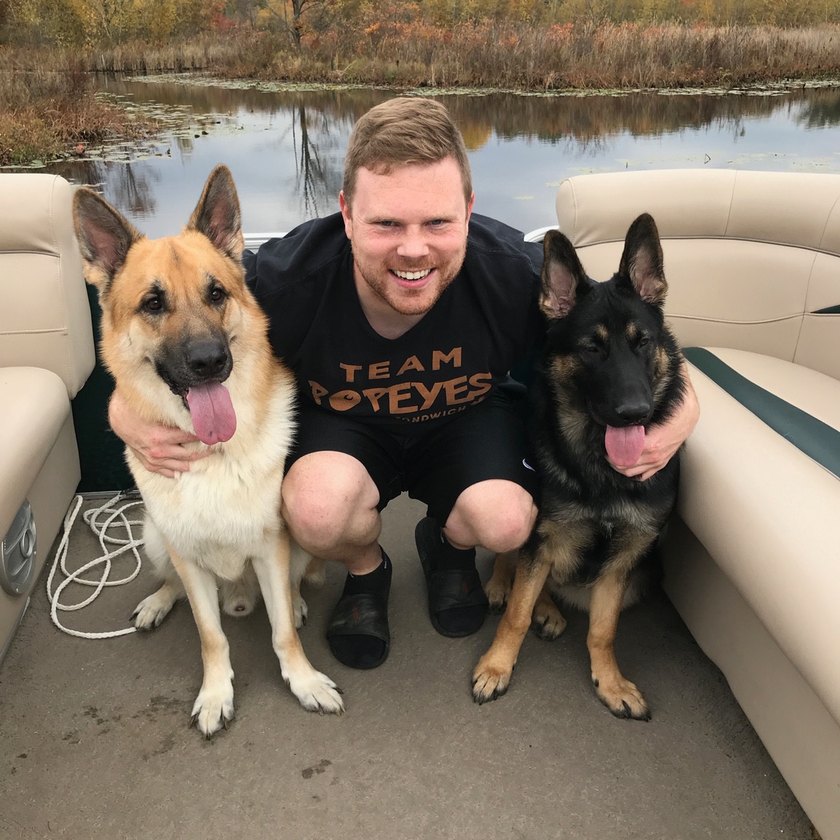
Twin Shepherd AI is named after Atlas (tan) and Rhea (black), my two German Shepherds. They look out for me, and I’m building this business to do the same for you: friendly, patient help from someone local.
Ryan Murray · Owner · Gaines, Michigan
For small businesses
This is for local businesses that don’t have an IT or cybersecurity provider. Before you pay for any tools or ongoing support, we figure out what devices and accounts you have and what matters most.
Priced per business
You get a written quote before any work starts.
Talk to me about your business →No. It’s a one-time review plus the improvements we agree on. It doesn’t include round-the-clock monitoring, emergency help after a break-in, or unlimited tech support. Anything beyond that would get its own written scope.
I won’t assume access to any other systems or to your customers’ information.
No. You type in your own passwords and verification codes and keep your recovery information. I never hold onto banking passwords, recovery codes or security keys.
It depends on the bank and the account. Logging in, making transactions and changing anything on a financial account stay between you and your bank. I can’t promise a key will work with your bank, and I don’t replace your bank’s own recovery process.
Tell me before we schedule anything. A break-in that’s still happening may need a specialist, and it’s outside the standard visit. I’ll tell you that up front instead of pretending a regular checkup will fix it.
Only the equipment and activities agreed with someone authorized to speak for the business. You get a set list of findings, the fixes you approved, what I checked and what’s still open. It isn’t an unlimited security audit or a 24/7 service.
Use the Request a visit button to open an email to me. I’ll reply to confirm a time.
Tell me your name, town, preferred days or times, and a brief description of the phone or computer help you need. A family member can help with your agreement. Small-business questions are welcome too.
I’ll reply to confirm a time.